The Advocate App is a patient advocacy app for family caregivers — your guide through the hospital system for what to ask, what to watch for, and how to make sure your loved one doesn’t fall through the cracks.
Not for doctors. For family caregivers. Every tool was built around what families actually face when an aging parent or loved one is admitted — including the hospital discharge conversation, insurance questions, and coordinating who's covering the next shift.
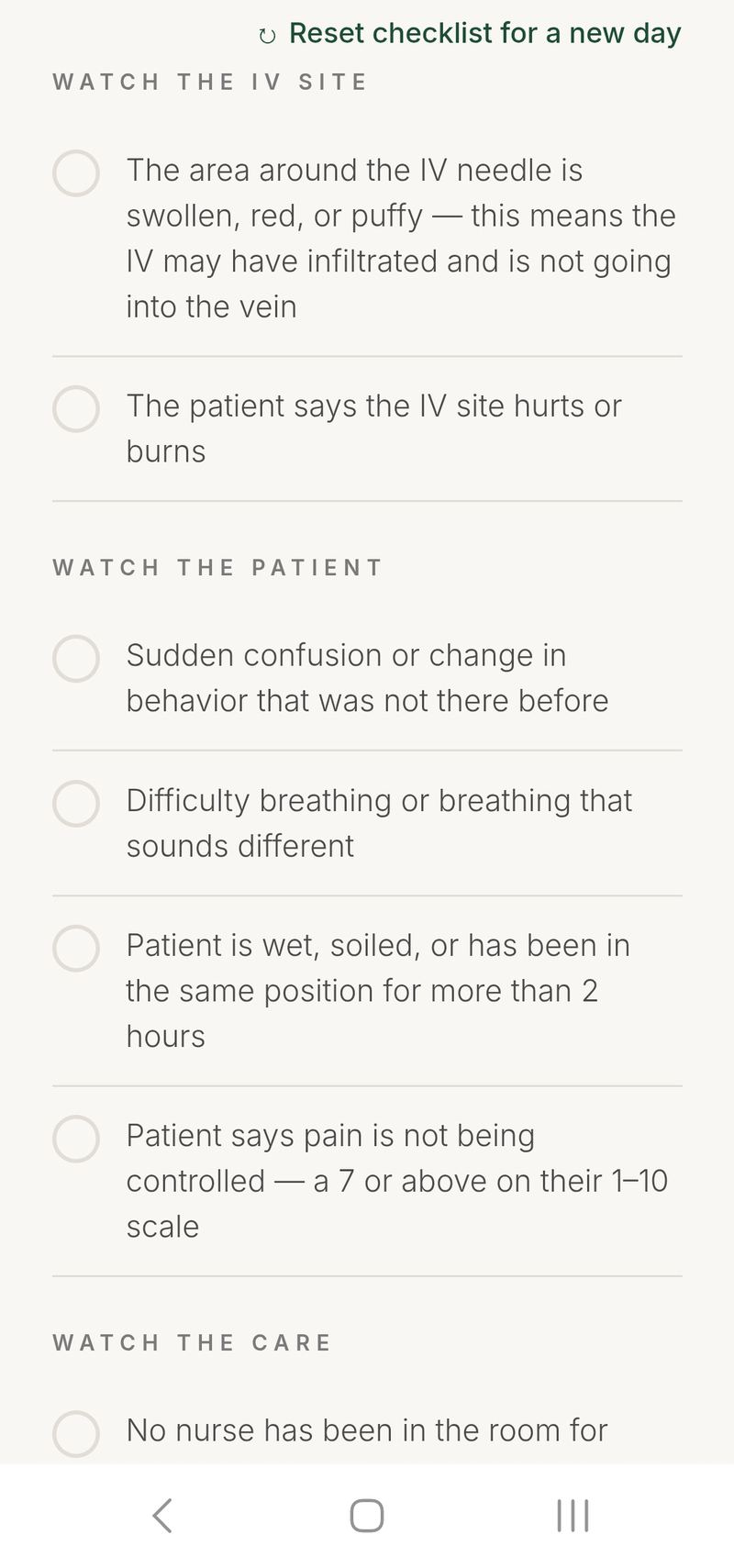
Identify the warning signs. Know who to tell to get the help needed.
Step-by-step guidance when staff isn’t responding or something feels off. Know who to call and how to say it.
Track upcoming visits with reminders, and keep every doctor’s name and number in one place.
Know what to ask before a hospital discharge, what to watch for once you’re home, and which follow-ups to schedule.
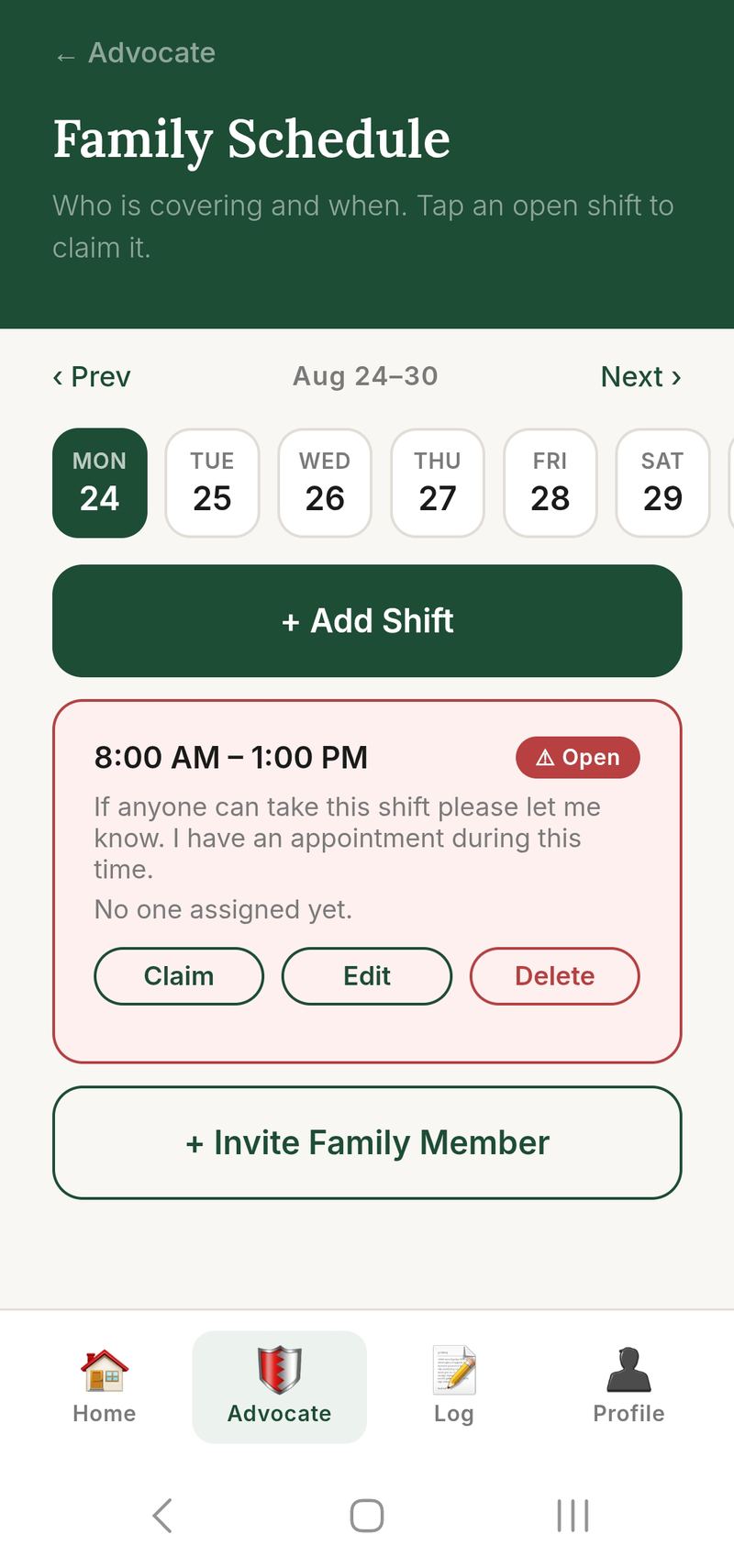
Coordinate who is at the hospital and when. Claim shifts, leave notes, and make sure no one is ever there alone without knowing help is coming.
Leave notes for the next family member so nothing gets lost between visits — medication changes, what the doctor said, what still needs to be asked.
Real screens from the app — no mockups.
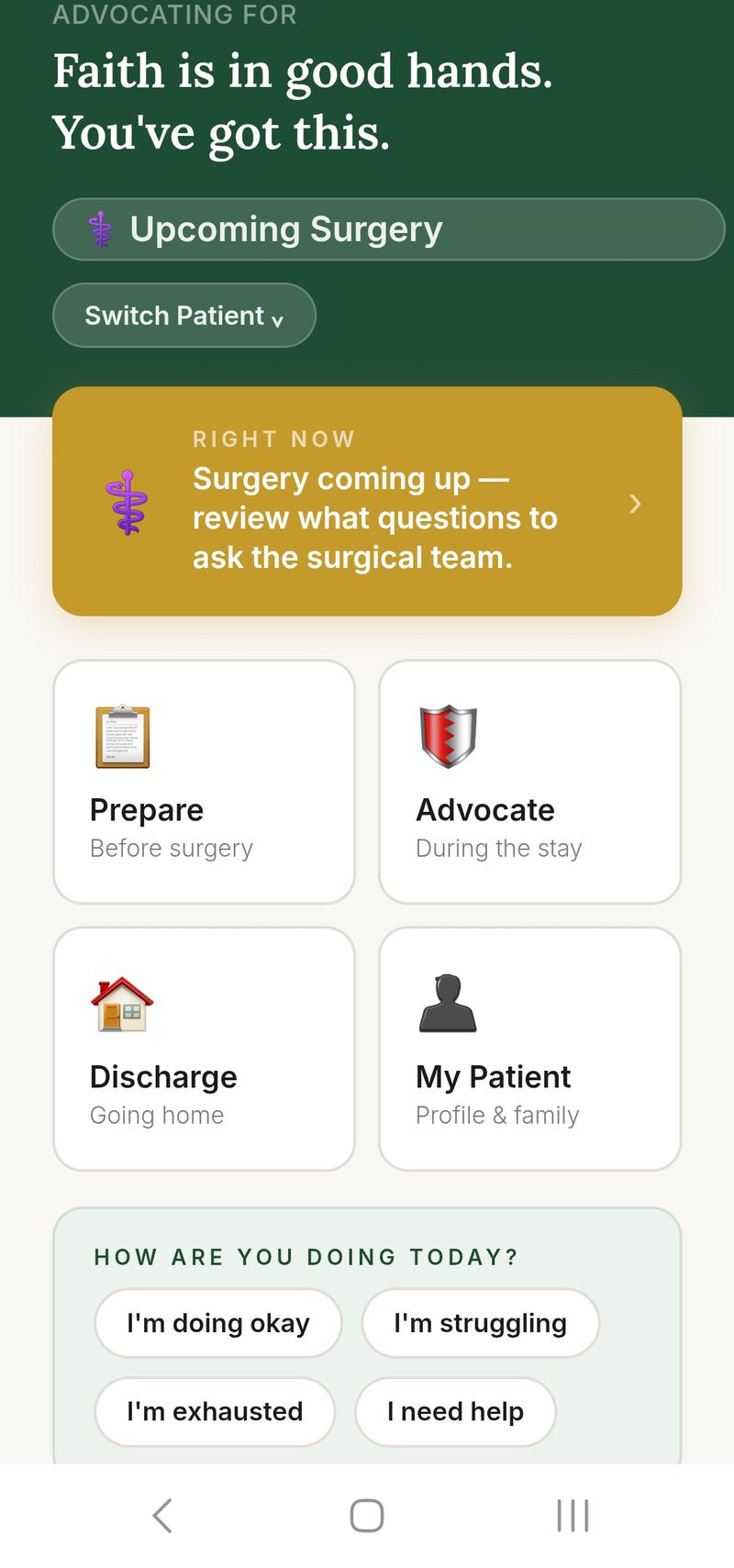
At the ER, admitted, preparing for surgery, or just home — The Advocate App gives you the right tools for where you actually are right now.
Every screen is built around what families actually face. Know what to ask, what to watch for, insurance and billing questions, and who to call if something is wrong — the same things a patient advocate would tell you.
Invite family members, share the log, coordinate shifts, and hand off notes — everyone sees the same dashboard.
“I had a stroke. My sister Faith is my emergency contact. She is the one who makes my medical decisions when I can’t, and she knows how to do it. Faith is a nursing manager. She knew what to ask, who to call, and when something wasn’t right. We built The Advocate App because most families don’t have what we had. But they should.”
“I’m a nurse — but when my sister Nikki had a stroke, I wasn’t the nurse in the room. I was just family, watching someone I love in need. That’s a different kind of helpless. If we’d had this app that day, I believe it would have eased the stress of an already terrifying moment.”
No tiers. No hidden limits. Choose monthly or save with a full year.
Need to track more than one patient? Add additional patients for only $6.99/month each — managed inside the app.
Call 911 or tell a staff member immediately. Do not wait. Do not look for the right person. Say the words: "This is an emergency."
"What do you think is happening and what are you ruling out?"
"What tests are you running and when will we have results?"
"Is there anything that would change whether they get admitted?"
"Who is the doctor in charge of their care here, and who do we ask for updates?"
Create a free account to check items off, keep notes, invite family, and track everything through the whole hospital stay.
Enter the email on your account. We will send a link to reset your password. The link expires after 24 hours.
You'll keep full access to the current patient's dashboard. Starting your own plan just lets you add and advocate for your own patients too.
After you add this patient's profile, you'll be taken to a secure Stripe checkout page to complete the $6.99/month charge.
When a family member logs a note or update, everyone connected to that patient gets a text. No one has to keep checking back in.
When a family member adds a log note, everyone connected to that patient gets a text. Add your number below to receive alerts.
Everything. The Base plan (starting at $9.99/month) includes all 12 tools: the Red Flag Checklist, Escalation Roadmap, Question Bank, ER Guidance, Discharge Planning, Family Schedule, Shift Handoff Log, Care Team, Appointments, Patient Rights, Financial Navigation, and Medical Terms. There are no locked features.
Yes. Go to My Patient and tap "Add Another Patient." Each additional patient adds $6.99/month to your Base plan.
Yes. Invite them from Manage Family Members — they'll receive an email and will need to create their own account. Once they sign up, they see the same dashboard, checklists, and logs for that patient.
No. The Advocate App helps you organize information and ask better questions. Always follow the guidance of your care team and call 911 for emergencies.
We respond within 24–48 hours
If someone in your life is navigating a hospital stay for a loved one, send them the link below.
Tell a nurse immediately. If no one answers the call light within 3–5 minutes, go to the nurses’ station or ask for the charge nurse. Use the Escalation Roadmap if needed.
This checklist is a guide, not a complete list. It highlights some, not all, of the things to watch for, and it does not replace the specific instructions given by the patient’s own provider or care team. Always follow the provider’s discharge instructions and care plan first, and use this tool alongside that guidance rather than in place of it.
The Advocate App and its red flag guidance are intended for adult patients. If you are caring for a child, please consult your child’s pediatrician for age-appropriate guidance.
You know your loved one better than the staff meeting them for the first time. If something looks wrong, say so clearly and ask for it to be checked.
The "At Home" tab above covers what to watch for once you're settled in.
Sometimes the first home health visit may not happen for a few days. Get every contact before you leave the building.
Call the agency first. If no same-day arrival, call the hospital social worker. If you cannot reach either and there is a medical need that cannot wait, go to the ER.
Get the receiving facility's contact confirmed before your loved one leaves the hospital. Ask what records and medication list will travel with them, and get the name of who will greet them on arrival. You can raise concerns about a facility and ask about other options. Medicare patients may have the right to appeal a discharge. Ask the social worker about other options.
The first few days home are an important time to watch closely. This is what to watch for.
The follow-up appointment should be made before the patient leaves the building — not "call us next week." If no one has scheduled it, ask the discharge nurse before you go.
No payment method on file yet. Subscribe below to activate the Base plan for this patient.
Your full billing history and receipts are available in the billing portal. Tap "Manage Billing" below to open it.
Call 911 or tell a staff member immediately. Do not wait. Do not look for the right person. Say the words: "This is an emergency."
"What do you think is happening and what are you ruling out?"
"What tests are you running and when will we have results?"
"Is there anything that would change whether they get admitted?"
"Who is the doctor in charge of their care here, and who do we ask for updates?"
You have the right to know what is being done and why. You have the right to ask questions. You have the right to a medical interpreter at no cost. The patient, or their legal decision-maker, has the right to refuse any treatment and ask what happens if they do.
Know what is being done and why. Ask questions and get clear answers. Have a medical interpreter at no cost. Refuse any treatment and ask what happens if you do. Request copies of medical records. Hospitals have a process for this. How long it takes and any cost may vary by hospital. Many hospitals also have a patient portal where you may be able to see records. Ask for a second opinion. Check with your insurance about coverage.
In an emergency, if there is no health care power of attorney or advance directive, the next of kin may be able to speak for the patient. Who counts as next of kin, and in what order, varies by state.
If pain isn't being addressed, you can ask directly: "What is the plan for managing this pain, and how soon will it take effect?" If the answer isn't good enough, ask for the charge nurse.
If English is not your first language, say: "We need a certified medical interpreter. We understand this is available at no cost." The hospital is required by federal law to provide one — you do not have to rely on a family member or staff member to translate.
"Is this hospital and this doctor in-network for my insurance?"
"Is there a financial assistance or charity care program here?"
"Can I get an estimate of costs before agreeing to a procedure?"
"Who do I talk to about setting up a payment plan?"
The title may vary by hospital. This person can help with discharge planning, community resources, and financial assistance programs.
Ask the nurse: “Is my loved one admitted as an inpatient, or under observation?”
Ask the hospital’s billing department how that status affects your costs.
Ask the billing department: “Can I get an itemized bill?”
You can release this shift from the schedule if your plans change.
Escalating is not being difficult. It is advocating for your loved one's safety. This is a normal process, and you are allowed to use it.
If their condition suddenly changes, skip ahead to Step 5. Steps 1–4 are for concerns about their care.
Write down who you spoke with, what time, and what they said. Use the Shift Handoff Log to keep a record.